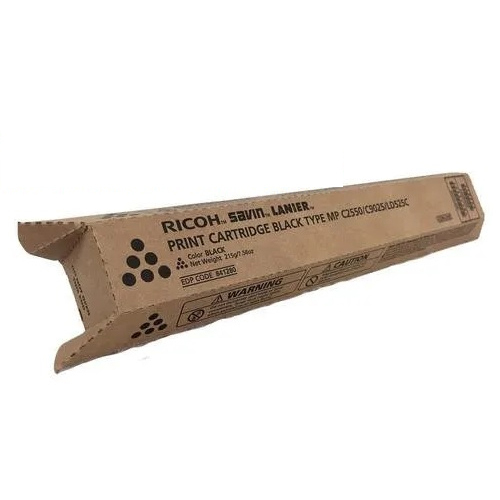
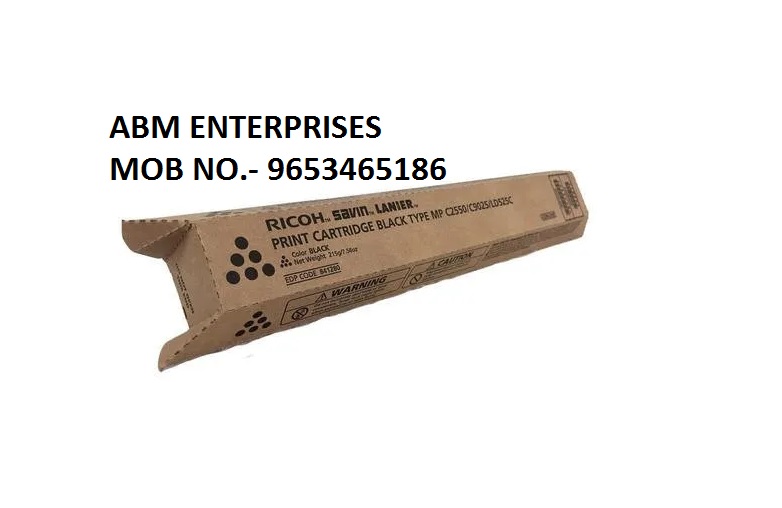
About Ricoh MP C2050 BLACK Toner Cartridge
Brand: Ricoh
Model no.: MP C2050
Generic Name: Toner Cartridge
Part no.: 841280
Product: New
Colour: Black
PRODUCT TYPE : TONER CARTRIDGE
PRINTER TYPE : LASER
Compatible with : Ricoh Aficio MP C2050, Ricoh Aficio MP C2030, Ricoh Aficio MP C2550, Lanier LD520C, Lanier LD525C, Savin C9020, Savin C9025, Gestetner MP C2030, Gestetner MP C2050
Superior Print Quality for Professional ResultsThe Ricoh MP C2050 BLACK Toner Cartridge is engineered for flawless output. With an emphasis on good quality, this cartridge delivers sharp black text and graphics, making it suitable for high-demand business environments. Its consistency ensures every print is as clear and bold as the first, ideal for reports, invoices, and marketing materials.
Wide Compatibility and Easy InstallationThis toner cartridge is compatible with a range of Ricoh printer and copier models, including MP C2050, MP C2030, MP C2550, LD520C, LD525C, C9020, and C9025. Its design allows for simple and straightforward installation, so you can minimize downtime and keep your office running smoothly.
Best Practices for Toner Storage and LongevityTo preserve the quality and lifespan of your Ricoh toner cartridge, it is essential to store it in a dry place. Protecting it from humidity and temperature fluctuations helps maintain the toner's consistency, ensuring reliable operation and print output throughout its shelf life.
FAQ's of Ricoh MP C2050 BLACK Toner Cartridge:
Q: How do I install the Ricoh MP C2050 BLACK Toner Cartridge in my printer or copier?
A: To install the Ricoh MP C2050 BLACK Toner Cartridge, first switch off your printer or copier and allow it to cool. Open the toner access panel, carefully remove the depleted cartridge, and insert the new one into the corresponding slot. Secure it in place, close the panel, and restart the device to complete the installation process.
Q: What printer and copier models are compatible with this toner cartridge?
A: The Ricoh MP C2050 BLACK Toner Cartridge is compatible with MP C2050, MP C2030, MP C2550, LD520C, LD525C, C9020, and C9025 series. Please check your device's model number to ensure compatibility before purchasing.
Q: When should I replace my Ricoh MP C2050 BLACK Toner Cartridge?
A: You should replace your toner cartridge when you notice faded prints, streaks, or low toner warnings on your printer or copier. Using the cartridge until it is fully depleted may affect print quality, so prompt replacement is recommended for optimal results.
Q: Where is the best place to store unused toner cartridges?
A: It is important to keep unused Ricoh MP C2050 BLACK Toner Cartridges in a dry place, away from direct sunlight or extreme temperatures. Proper storage preserves the toner's quality and prevents clumping or damage.
Q: What are the main benefits of using the Ricoh MP C2050 BLACK Toner Cartridge?
A: This cartridge offers consistent high-quality, crisp black prints, wide device compatibility, and reliable performance. It is ideal for both small businesses and large corporate environments requiring professional results.
Q: How does storing the toner in a dry place help maintain its quality?
A: Storing the toner in a dry environment prevents moisture absorption, which can lead to clumping or poor print performance. Proper storage safeguards the integrity of the toner, ensuring each print remains clear and precise.
 Send Inquiry




 Send Inquiry