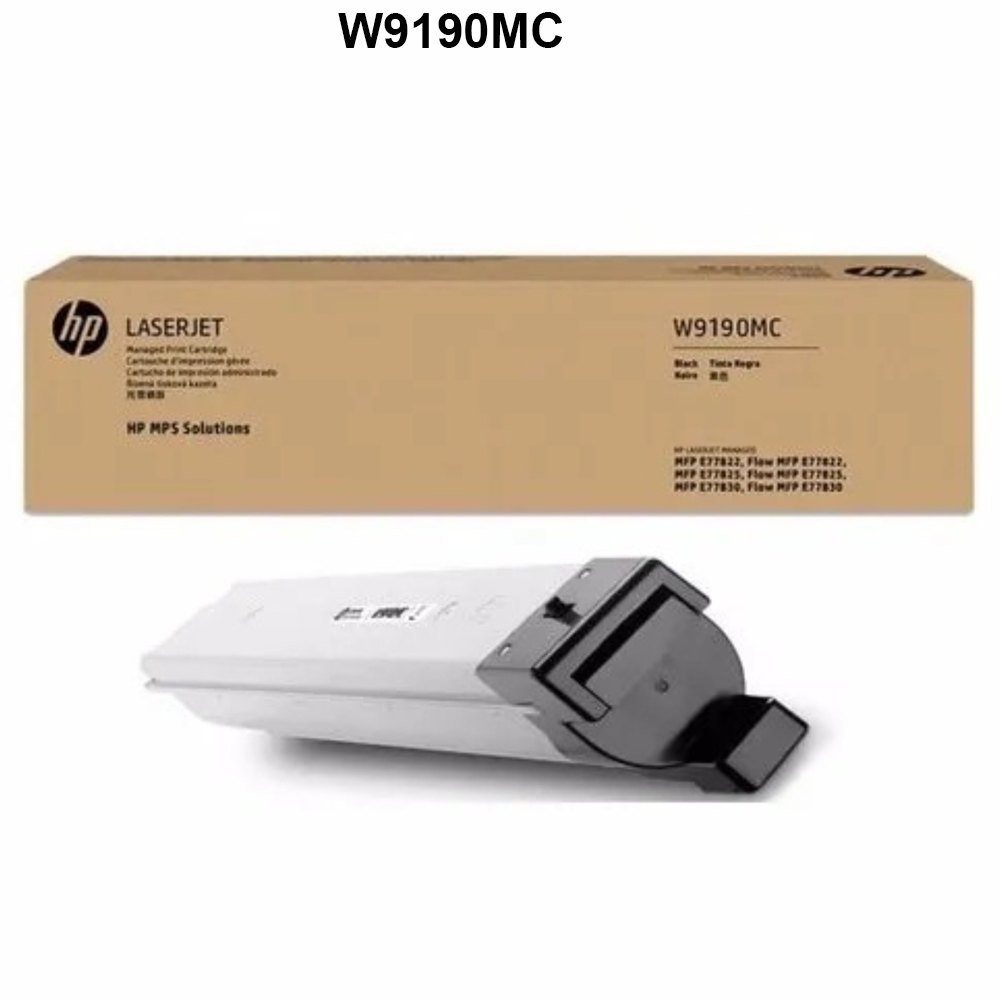
About HP W9190MC Black Toner Cartridge
Brand: HP
Generic Name: Toner Cartridge
Part no.: W9190MC
Product: New
Colour: Black
PRODUCT TYPE : TONER CARTRIDGE
PRINTER TYPE : LASER AND COPIER
compatible Printer Model : For HP Color Laserjet MFP E77822dn E77822z E778225dn E778225z E77830dn E77830z
Consistent, Professional Quality PrintsThe HP W9190MC Black Toner Cartridge is specially designed to deliver rich, clear black text and graphics with every print. Utilizing advanced laser technology, it ensures uniform results over high print volumes, making it suitable for busy work environments that depend on reliable, professional-quality documents.
Wide Compatibility Across Multiple HP MFP ModelsThis toner cartridge is compatible with various HP laser printers and copiers, including the MFP E77822 and E77830 series, ensuring flexibility for offices using different machine models. Its seamless integration aids in maintaining optimum printer performance without compromising productivity.
FAQ's of HP W9190MC Black Toner Cartridge:
Q: How is the HP W9190MC toner cartridge installed in compatible printers?
A: To install the HP W9190MC toner cartridge, simply open the printer's toner access panel, remove the used cartridge if present, and slide the new cartridge into the designated slot until it clicks securely. Close the panel and the printer will be ready for use.
Q: What printers and copiers are compatible with the HP W9190MC cartridge?
A: The HP W9190MC Black Toner Cartridge is compatible with HP models MFP E77822dn, E77822z, E778225dn, E778225z, E77830dn, E77830z, and also fits W9191MC, W9192MC, and W9193MC machines.
Q: When can I expect delivery of the HP W9190MC toner cartridge in India?
A: The standard lead time for the HP W9190MC toner cartridge is approximately 4 days when ordered through authorized suppliers and traders in India.
Q: Where can I purchase the HP W9190MC Black Toner Cartridge in India?
A: You can buy the HP W9190MC toner cartridge from reputable suppliers and traders across India who specialize in HP printing supplies. It is recommended to choose authorized vendors for genuine products and reliable service.
Q: What is the process for replacing the HP W9190MC toner cartridge?
A: Turn off the printer, access the toner compartment, remove the old cartridge, gently shake the new cartridge to evenly distribute the toner, insert it firmly into the slot, and close the compartment. Switch the printer back on to complete the installation.
Q: How does using the HP W9190MC cartridge benefit my office printing?
A: Using the HP W9190MC toner cartridge ensures high-quality prints, reduced downtime due to reliable performance, and consistent output for both text and graphics, making it ideal for demanding office environments.
Q: What usage recommendations exist for maximizing toner life and performance?
A: To maximize the life and performance of your HP W9190MC cartridge, handle it carefully during installation, store it in a cool and dry place, print regularly to prevent drying, and always use genuine HP toner for best results.
 Send Inquiry




 Send Inquiry