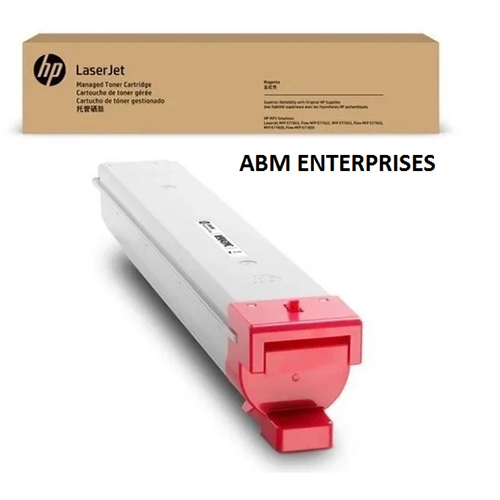
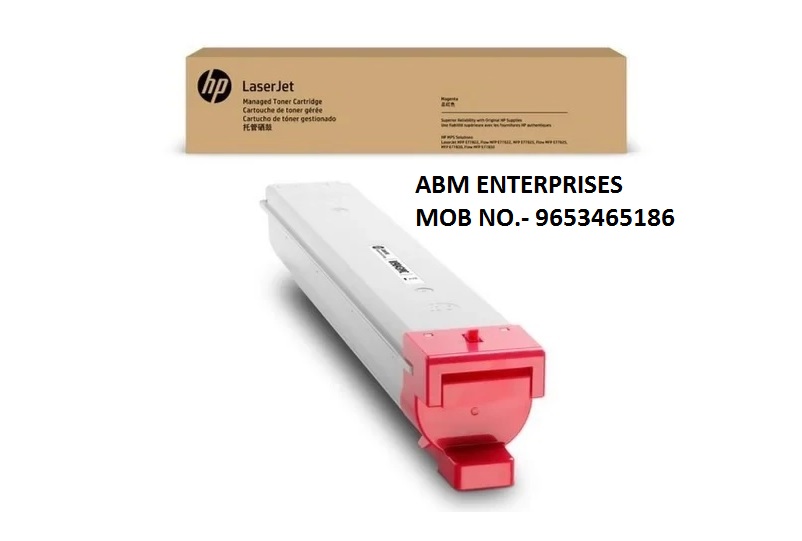
About HP W9163MC LaserJet Magenta Managed Toner Cartridge
Brand: HP
Product: New
Generic Name: Toner Cartridge
Model no.: W9163MC
Color : Magenta
Usage : Laser Printer
Technology : Laser
PRODUCT TYPE : TONER CARTRIDGE
Compatible With - MFP E87740dn,MFP E87750dn
Optimized for HP MFP DevicesThe W9163MC toner cartridge is engineered to work flawlessly with HP models MFP E87740dn and MFP E87750dn. This ensures seamless integration within your workflow, delivering professional-quality magenta prints every time.
Consistent Performance and QualityWith laser print technology, users can expect clear, vibrant, and uniform color output across all documents. The cartridge's reliable formulation supports high-volume printing without sacrificing consistency.
Trusted Supply Within IndiaSourced by reputable suppliers and traders in India, the HP W9163MC toner cartridge is readily available with a lead time of just 5 days. This minimizes downtime and keeps your office running efficiently.
FAQ's of HP W9163MC LaserJet Magenta Managed Toner Cartridge:
Q: How do I install the HP W9163MC LaserJet Magenta Managed Toner Cartridge?
A: To install the W9163MC toner cartridge, simply open the toner compartment in your compatible HP laser printer or photocopier (MFP E87740dn or E87750dn), remove the old cartridge, and slide the new one into place until it clicks securely.
Q: What devices are compatible with the HP W9163MC toner cartridge?
A: This cartridge is specifically designed for use with HP MFP E87740dn and MFP E87750dn printers and photocopiers, ensuring optimal performance and print quality.
Q: When can I expect delivery of the HP W9163MC cartridge after placing an order?
A: Orders for the HP W9163MC Magenta Toner Cartridge typically have a lead time of 5 days through trusted suppliers and traders in India.
Q: Where can I purchase the HP W9163MC magenta cartridge in India?
A: The cartridge is available through official HP suppliers and authorized traders across India. Always verify the source for authenticity and compatibility.
Q: What is the process for replacing my current toner with the HP W9163MC cartridge?
A: First, turn off your printer and allow it to cool. Open the toner access panel, remove the used cartridge, and carefully insert the W9163MC cartridge. Ensure it is securely seated before closing the panel and restarting the machine.
Q: How do I use the HP W9163MC toner for optimal performance?
A: Use the cartridge exclusively in designated HP printer models for best results. Store it in a cool, dry place until ready for use, and handle with care to avoid spills or damage.
Q: What benefits does the HP W9163MC Magenta Managed Toner Cartridge offer?
A: This cartridge provides reliable, high-quality color output, supports efficient printing in high-volume office settings, and ensures compatibility with specific HP devices for trouble-free operation.
 Send Inquiry





 Send Inquiry